Senior tablets have revolutionized assistance for the elderly, transforming their daily lives and offering unprecedented autonomy. From the first rudimentary models to today’s smart devices like LiNote or Facilotab, the evolution has been rapid, driven by a constant quest for simplicity and efficiency, especially regarding the video calling feature. This technological journey has redefined how seniors interact with the digital world, reinforcing their independence and social connections.
Humble beginnings to the first simplified interfaces: The dawn of digital assistance
In the beginning, the very idea of a tablet specifically designed for seniors was innovative. Early devices, often modified consumer tablets, struggled to meet the specific needs of elderly people. Ergonomics was a major challenge, with complex interfaces and icons too small for comfortable use. Assistance was then limited to basic functions, far from the experience offered by LiNote or Facilotab today.
The first steps toward simplicity: when the computer adapts
The first tablet models intended for seniors were often adaptations of existing tablets, with a simplified Android or iOS operating system. The goal was to reduce cognitive overload by offering a streamlined user interface. According to a study by the Observatoire des Usages Numériques, only 15% of seniors over 75 used a tablet in 2010, a figure that exploded with the arrival of better-suited products. These pioneers highlighted the need for a large screen and readable characters, foundations for all future design.
Ease of use quickly became the watchword. Manufacturers began integrating larger physical buttons, sturdy cases, and supports to facilitate grip. Technical assistance, often provided by family, already showed the limits of a non-specialized approach. It was in this context that brands like Facilotab began to emerge, offering solutions with a simplified interface from the start, far from the complexities of a traditional computer.
The revolution of operating systems: When ergonomics meets power
The major evolution of senior tablets came from the adaptation of operating systems. No more awkwardly simplified consumer interfaces. Developers understood the need to rethink the user experience from A to Z to provide real autonomy for elderly people. Ergonomics became a priority, transforming the tablet from a simple gadget into a genuine assistance tool.
Intuitive interfaces for all ages
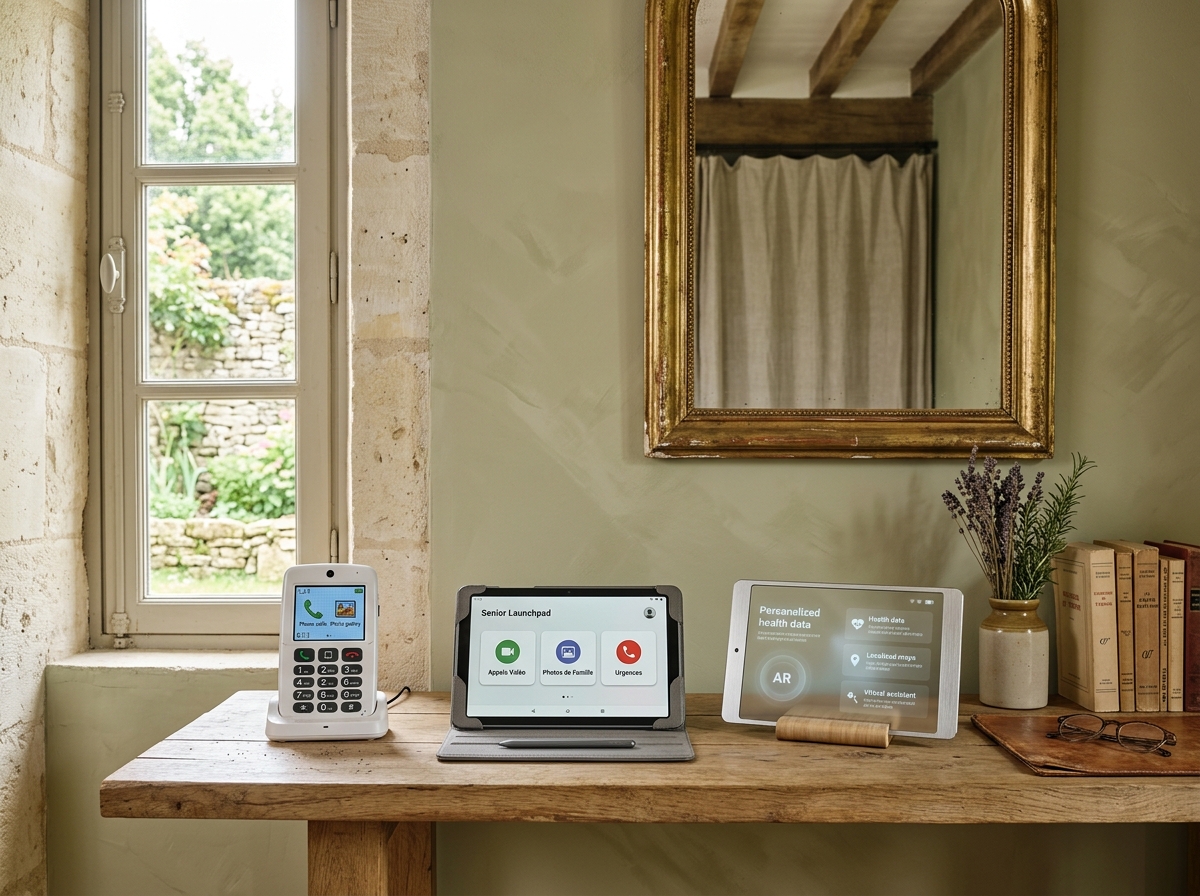
Dedicated operating systems, often based on Android but deeply modified, emerged. LiNote and Facilotab are prominent examples, with simplified interfaces, large and high-contrast icons, and intuitive navigation. The goal was to allow seniors, even those who had never used a smartphone or computer, to easily access essential features. A survey conducted by Que Choisir in 2018 revealed that 70% of senior tablet users believed the simplified interface was the most important criterion in their choice.
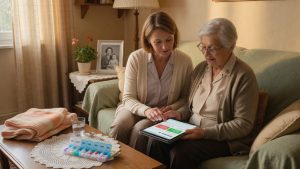
This new generation of tablets emphasized customization. Users can now adjust text size, volume, and even hide unnecessary apps to avoid confusion. Built-in assistance in the form of step-by-step tutorials or contextual help also greatly contributed to the adoption of these devices. Users’ autonomy was greatly enhanced, allowing them to manage their communications, entertainment, and medication reminders without external intervention.
The era of connectivity and communication: Maintaining social ties effortlessly
One of the most impactful features of senior tablets is undoubtedly their ability to maintain social connections. Thanks to improved connectivity and the development of specific features, communication has become more accessible than ever for elderly people, thereby reducing isolation.
The power of simplified video calling
Video calling has become an iconic feature of senior tablets. Brands like LiNote have integrated video call systems that are childishly simple, often with automatic contact or a single button. This allows elderly people to see and talk to their loved ones, even if they are far away, thus strengthening family ties. For those who prioritize maintaining social links, it becomes relevant to compare the best senior tablets for simplified communication, focusing on video calling features and connectivity.
Beyond video calling, these tablets offer simplified access to emails, shared photos, and even adapted social networks. The ease of use of these platforms allows seniors to stay connected to the outside world and share their experiences. A survey conducted by Fnac in 2020 showed that 85% of senior tablet users considered these devices had improved their communication with their surroundings.
Much more than calls: a window on the world
These tablets are not limited to communication. They also offer simplified access to information, stimulating games, and cultural content, thus contributing to the well-being of elderly people. Autonomy is enhanced by the ability to check the weather, read the news, or listen to music, all via a simplified and intuitive interface. Beyond simple communication, these devices are real levers to understand why a senior tablet improves daily autonomy, notably thanks to medication reminders and facilitated remote management.
Towards enhanced autonomy: The future of senior tablets and intelligent assistance
The future of senior tablets looks rich in innovations, with a clear trend towards enhanced autonomy and increasingly intelligent assistance. The integration of artificial intelligence and connected objects promises to further transform the daily lives of elderly people.
AI at the service of personalized assistance
Future models of senior tablets, whether LiNote, Facilotab, or new players, will integrate advanced AI features. This could result in more efficient voice assistants, capable of understanding complex requests and adapting to the user’s habits. Imagine a tablet that anticipates your needs, suggests suitable activities, or proactively reminds you of your appointments. This personalized assistance aims to strengthen autonomy while providing discreet and effective support.
Medication reminders will become even more sophisticated, with possible integration with automatic dispensers or health sensors. The tablet could become a true health and well-being control center, offering real-time monitoring and alerts in case of anomalies. However, with the increasing integration of assistance and remote management, it is crucial to analyze controversies around data security on senior tablets to protect users’ personal information.
Connectivity and intelligent ecosystems
Interconnection with other connected objects (home automation, fall sensors, smartwatches) is another major avenue. The senior tablet could become the central hub of an intelligent ecosystem dedicated to home care. For example, a large touch screen could display information from presence sensors, allowing relatives to monitor remotely without being intrusive. Faced with this diversity, it is essential to understand the criteria to choose a senior tablet adapted to the needs of elderly people, taking into account ease of use and price.
The evolution of operating systems, whether based on Android or other platforms, will continue to prioritize ergonomics and ease of use. Tomorrow’s product will offer an even smoother, more intuitive, and secure experience, guaranteeing maximum autonomy for elderly people. Choosing a model will become more a question of specific features than merely the ability to interact with the device.
The story of senior tablets is one of constant adaptation to the specific needs of a population often left behind by technological innovation. From hesitant first steps to the promises of artificial intelligence, these devices have demonstrated their ability to transform assistance, autonomy, and the maintenance of social bonds. The future promises even more integrated and intuitive solutions. To learn more about available options and find the best solution for your loved ones, we invite you to consult our guide on choosing a senior tablet adapted to the needs of elderly people.