Choosing a suitable senior tablet is an essential step to ensure ease of use and independence for elderly people. Faced with the variety of models, such as LiNote or Facilotab, it is crucial to understand specific needs to make an informed choice. The goal is to find a device that simplifies daily interactions and facilitates communication, especially via video calls.
Why is a senior tablet indispensable for autonomy and communication?
Integrating a senior tablet into the daily life of elderly people is much more than just a technological gadget; it is a real tool for autonomy and maintaining social connections. Brands like LiNote or Facilotab have specifically developed products to meet these challenges. They offer a simplified interface that makes access to digital technology less intimidating.
Video calls, for example, become a privileged way to stay in touch with family and friends, thus breaking isolation. According to a recent study, 70% of seniors using a tablet report feeling more connected to their circles. This ease of use is the cornerstone of a successful adoption, turning the tablet into an indispensable daily companion.
How does a tablet simplify the lives of elderly people?
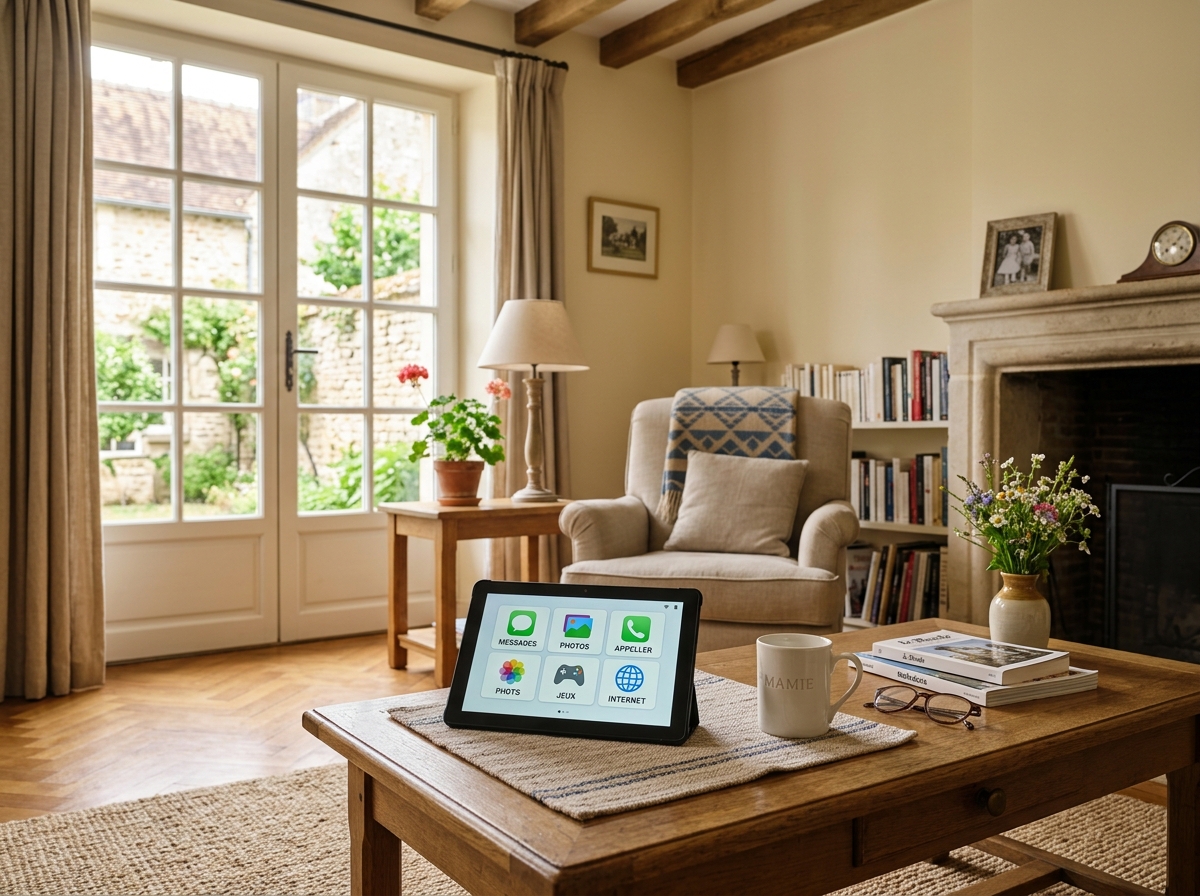
A senior tablet is designed to be intuitive. It advantageously replaces a computer that is too complex or a smartphone with a screen that is too small. The large screen offers appreciable visual comfort, while the large icons and streamlined menus reduce the learning curve. Que Choisir also recommends prioritizing models with a maximally simplified interface.
Beyond communication, these tablets facilitate access to information, memory-stimulating games, or practical services. The ability to manage medication reminders is a particularly appreciated feature, ensuring better treatment adherence and increased safety. If you wish to understand in detail how a senior tablet can concretely improve the daily autonomy of your loved ones, we invite you to understand why a senior tablet improves daily autonomy.
Deciphering ease of use: the simplified interface at the heart of the choice
Ease of use is the number one criterion when purchasing a tablet for elderly people. A simplified interface is the key to successful adoption and regular use. Operating systems like Android can be customized, but solutions such as LiNote or Facilotab offer software layers specifically designed for this audience.
These interfaces are characterized by large buttons, a readable font, and logical navigation. They minimize the risk of errors and reduce the frustration often associated with new technologies. A good buying guide will always highlight this fundamental point.
What are the advantages of a simplified interface for seniors?
The main advantage lies in accessibility. A simplified interface allows elderly people to feel more comfortable and confident with technology. Fewer menus, essential functions highlighted, and often, possible remote assistance from relatives.
Here are some concrete benefits:
- Stress reduction: Fewer superfluous features, less confusion.
- Increased autonomy: The elderly person can use the tablet without constant help.
- Quick learning: The handling is almost immediate.
- Easy access to key functions: Video calls, photos, or games are within reach.
For practical advice on how to effectively use a senior tablet to maintain strong social and family ties, consult our dedicated guide on using a senior tablet to maintain social and family connections.
Large screen, apps, and connectivity: key features not to be overlooked
Beyond the simplified interface, several features are crucial when choosing a senior tablet. The large screen is a major asset for the visual comfort of elderly people. A 10-inch or larger touchscreen is often recommended for better readability and easier handling. Brands like LiNote have understood this well by offering suitable formats.
Pre-installed or easily accessible applications are also crucial. They must meet specific needs: video calls, memory games, reading, and of course, managing medication reminders. Wi-Fi connectivity is a minimum, and the 4G option can be interesting for use outside the home.
Which apps are essential on a senior tablet?
The essential apps on a tablet for elderly people are those that promote autonomy, communication, and appropriate entertainment. Video calls are undoubtedly the most important to maintain social bonds. Brain training apps can help stimulate cognitive functions.
Among the essential apps, managing medication reminders is crucial. Learn to optimize the use of a senior tablet for medication reminders for better autonomy and safety. Weather apps, simplified news, or radio apps are also highly appreciated. Facilotab, for example, natively integrates a set of apps designed for seniors.
The importance of a large screen and good connectivity
A large screen offers incomparable visual comfort. Characters are larger, images sharper, and navigation less tiring for the eyes. For people with visual impairments, this is a sine qua non condition. The touchscreen also needs to be responsive and precise.
Connectivity is just as vital. Wi-Fi allows internet access from home. But for more mobile seniors, a tablet with 4G offers freedom of use everywhere. This ensures that video calls or access to information remain possible, regardless of location. A good buying guide should always emphasize these points.
What budget to plan? A buying guide to find the senior tablet at the right price
Price is a determining factor in choosing a senior tablet. There is a wide range of models, from the most affordable to the most sophisticated. It is important to find the right balance between price and features offered, keeping in mind that ease of use and a simplified interface have a cost.
Stores like Fnac offer a varied selection, but it is often more relevant to turn to specialists like LiNote or Facilotab who offer dedicated products with appropriate support. The price of a senior tablet can range from 150 euros for entry-level models to over 400 euros for complete solutions with subscription and assistance.
Price comparison: which model for which budget?
To help you see more clearly, here is a comparative table of average prices of senior tablets, depending on their main features:
| Type of tablet | Price range | Main features |
|---|---|---|
| Classic Android tablets (with customization) | 150 – 250 € | Large screen, Wi-Fi connectivity, requires initial setup |
| Specialized tablets (e.g., Facilotab) | 250 – 350 € | Simplified interface, pre-installed apps, assistance |
| Complete solutions (e.g., LiNote) | 350 – 500 € (often with subscription) | Large screen, simplified video call, remote assistance, reminders |
It is crucial to consider the total cost, including possible subscriptions for assistance or specific features. A model like LiNote, although potentially more expensive to purchase, can offer peace of mind and unparalleled ease of use, thus justifying its price.
Where to buy your senior tablet: specialized stores or large retailers?
The choice of the point of sale is also important. Large retailers like Fnac offer a wide choice of generic Android tablets, which can be adapted with third-party apps for seniors. However, for a turnkey solution with a simplified interface and dedicated technical support, it is often preferable to turn to specialized brands.
Companies like LiNote or Facilotab sell their products directly on their websites, or through authorized resellers. The advantage is more personalized support and products specifically designed for elderly people. Que Choisir recommends carefully comparing offers and after-sales services before making a decision. To deepen your research and discover the best-performing models in simplified communication, do not hesitate to compare the best senior tablets for simplified communication.
Assistance and security: ensuring a serene and protected experience
Assistance and security are fundamental pillars for a successful experience with a senior tablet. Elderly people can be more vulnerable to cyber threats or simply need help resolving a technical problem. A good solution must integrate protection mechanisms and accessible support.
Brands like LiNote stand out with their remote assistance system, allowing relatives to manage certain aspects of the tablet without being physically present. This ensures peace of mind for the whole family and reinforces ease of use for the senior.
Technical assistance options for seniors
Technical assistance is crucial. It can take several forms:
- Telephone support: A dedicated line where seniors or their caregivers can ask questions.
- Remote assistance: The possibility for a relative or technical support to take control of the tablet remotely to help. This is a flagship feature of LiNote.
- Simplified tutorials: Step-by-step guides, often integrated into the simplified interface, for common functions.
It is essential to verify the quality and availability of this assistance before purchase. A good buying guide will highlight the importance of this service.
Protecting data and privacy on a senior tablet
Data security is a major concern. Senior tablets must offer robust protections against viruses, phishing attempts, and unauthorized access. Operating systems like Android integrate security measures, but specialized solutions such as Facilotab often add additional layers of protection.
It is recommended to choose a model that allows simplified management of privacy settings and warns against potential risks. Raising user awareness of good security practices is also an aspect not to be overlooked to ensure a serene and protected use.
Choosing the ideal senior tablet is an investment in the autonomy and well-being of elderly people. By prioritizing ease of use, a large screen, key features like video calls, and reliable technical support, you ensure a smooth transition to the digital world. Whether your choice falls on a model like LiNote, Facilotab, or an adapted Android tablet, the goal remains the same: to offer an intuitive tool that strengthens social ties and simplifies daily life. To find the best senior tablet to stay connected and autonomous, it is essential to consider these criteria carefully.